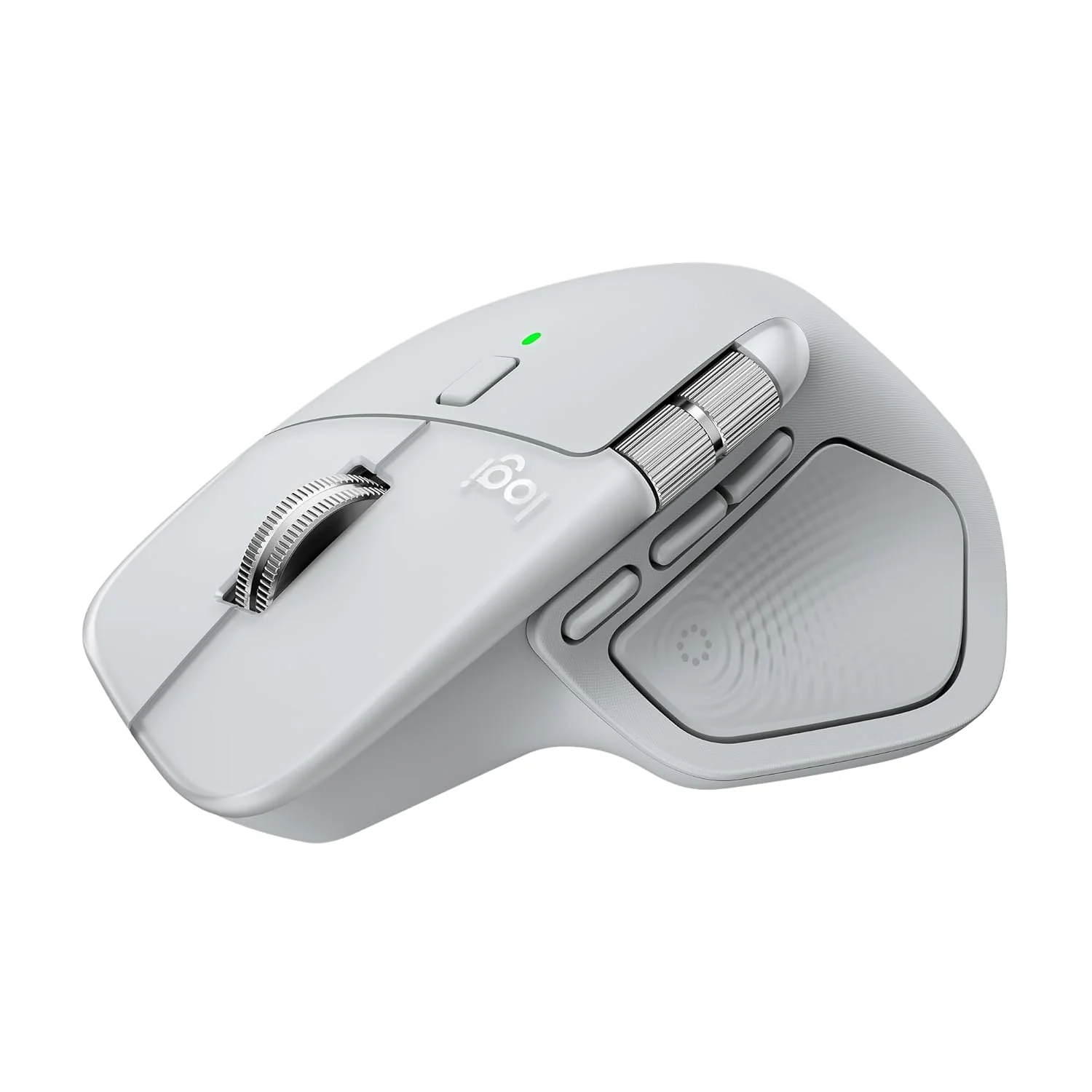
Logitech MX Master 4 for Mac, Ergonomic Bluetooth Mouse with Advanced Performance Haptic Feedback, Ultra-Fast Scrolling, USB-C Charging, MacOS, iPadOS, Windows
Features-
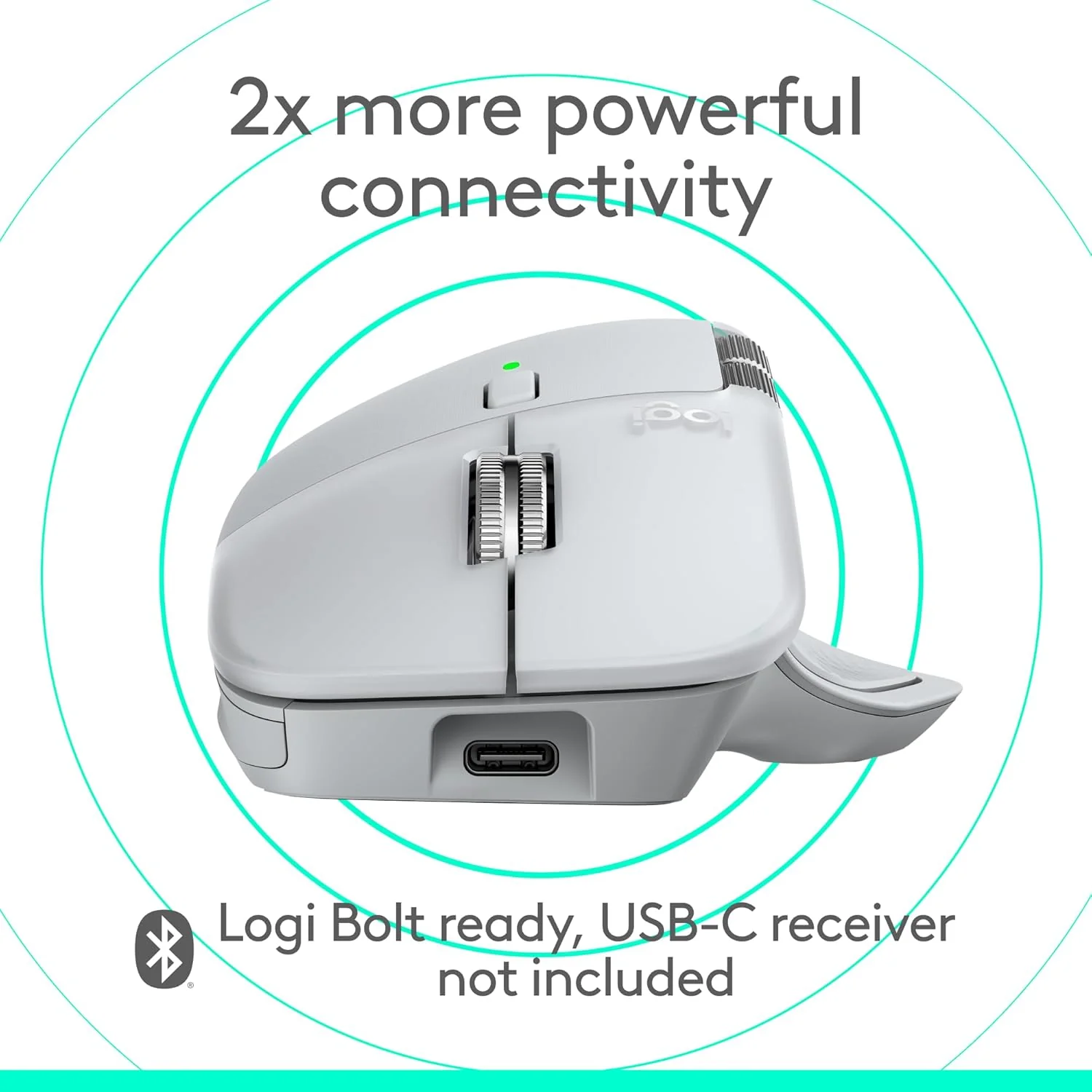
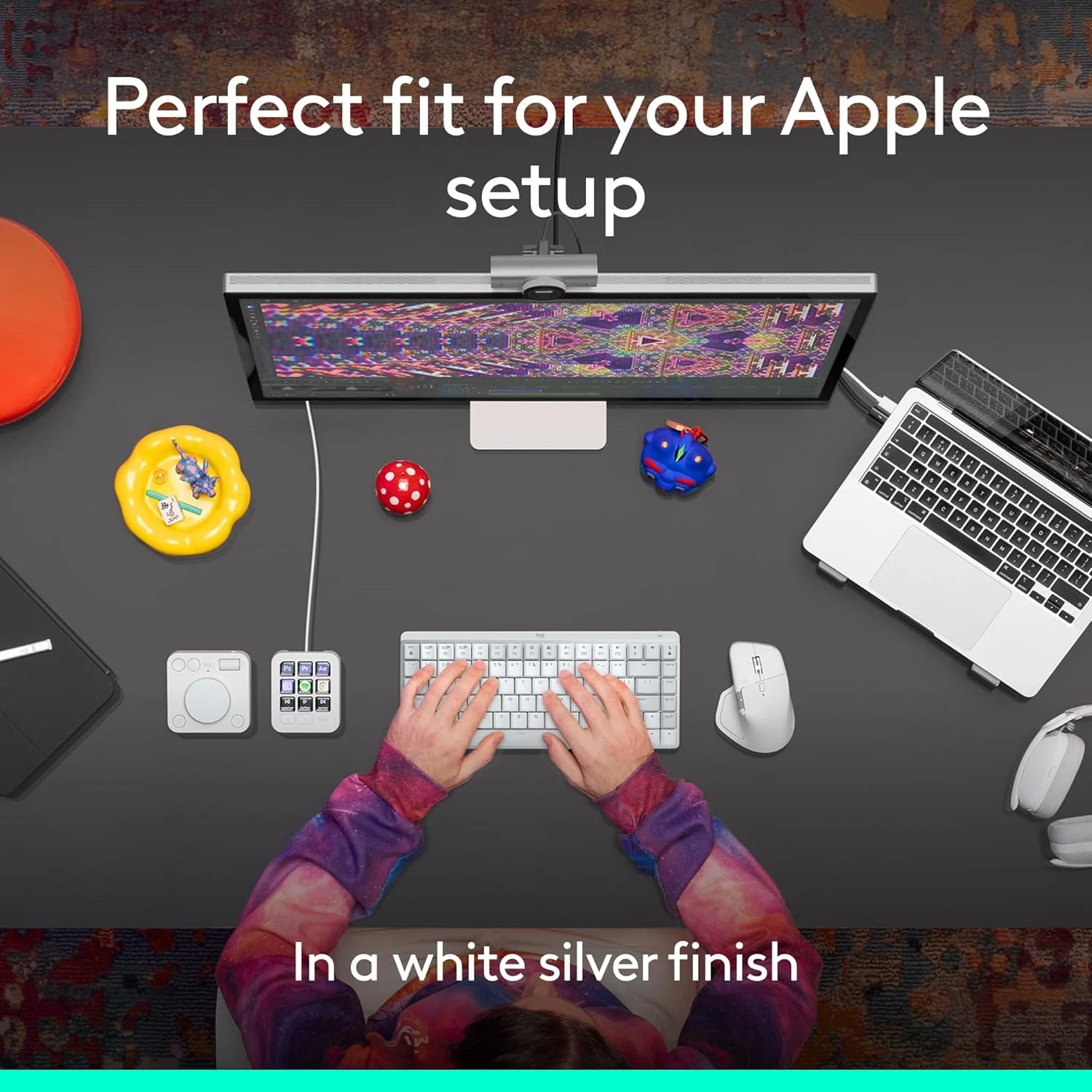
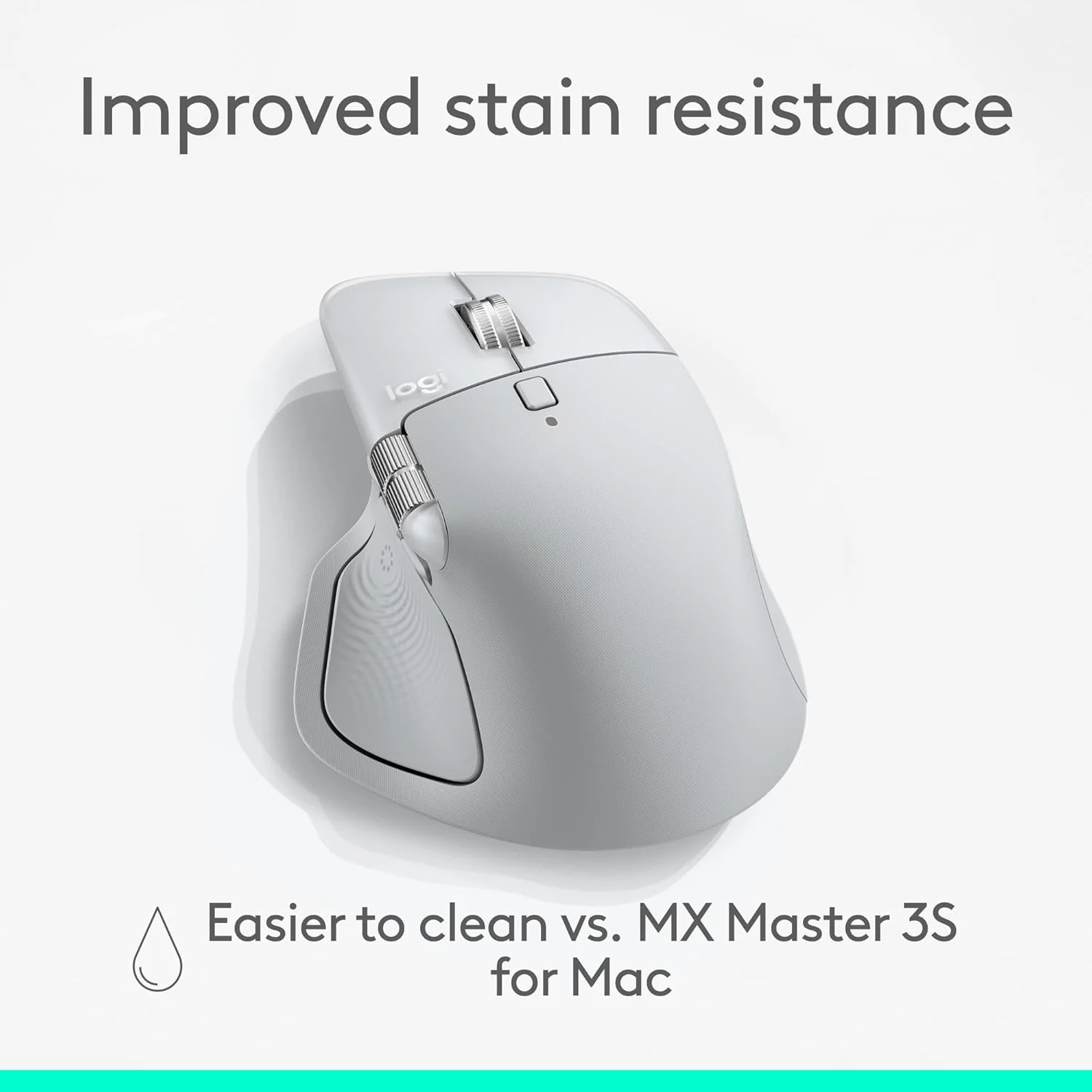
- Mastered for Mac: With matching Apple finishes, Logi Options+ functions for macOS (1), USB-C charging while you work (cable not included), MX Master 4 for Mac makes for a perfect fit with your Apple setup
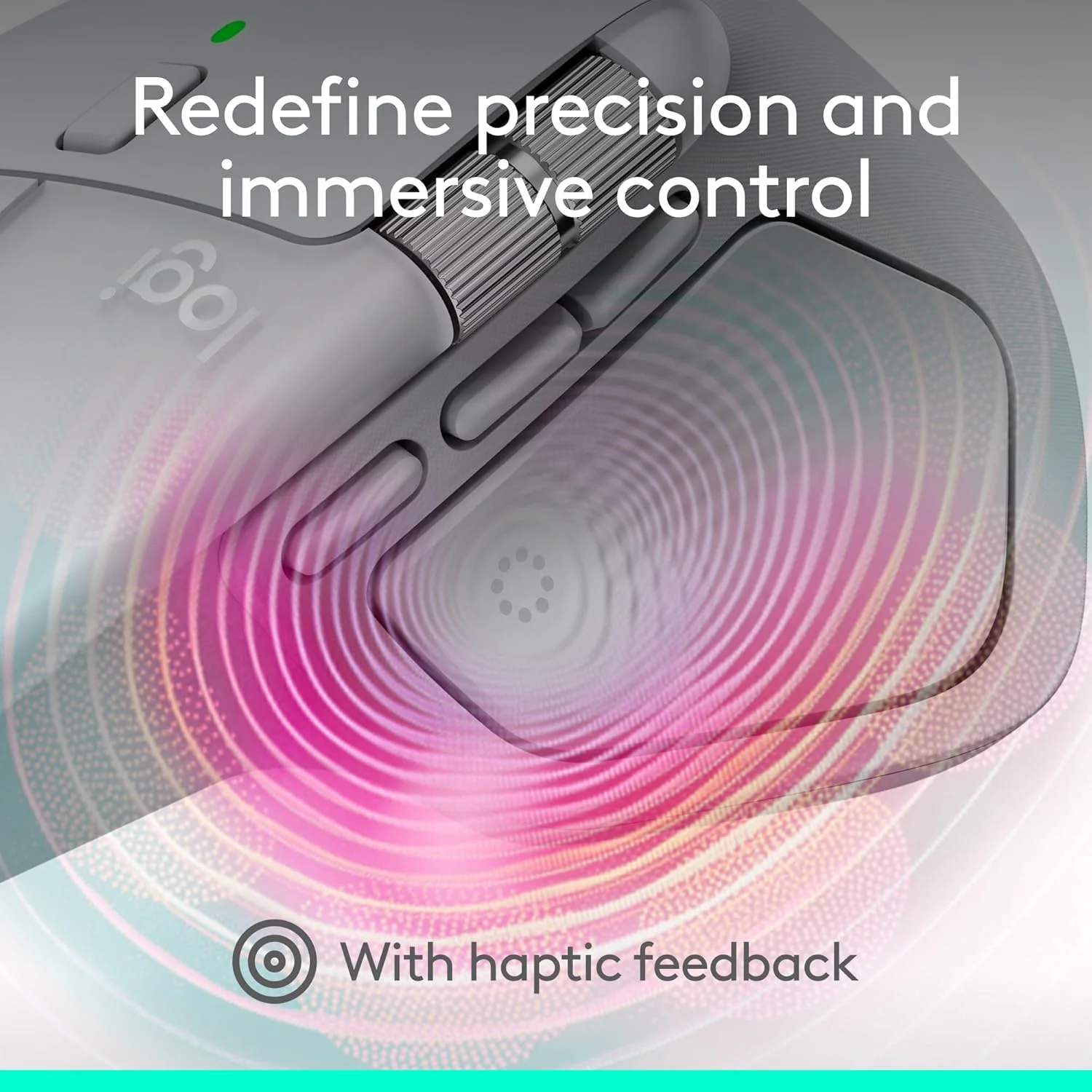
- Precision you can feel with the Haptic Sense Panel; customizable (1) haptic feedback on specific actions, shortcuts, notifications enhancing productivity on this wireless Bluetooth mouse
- Effortlessly access favorite tools with Actions Ring (2) on this MX Series mouse—a dynamic, customizable overlay adapts to each app, placing most used filters, adjustments, and shortcuts at your cursor
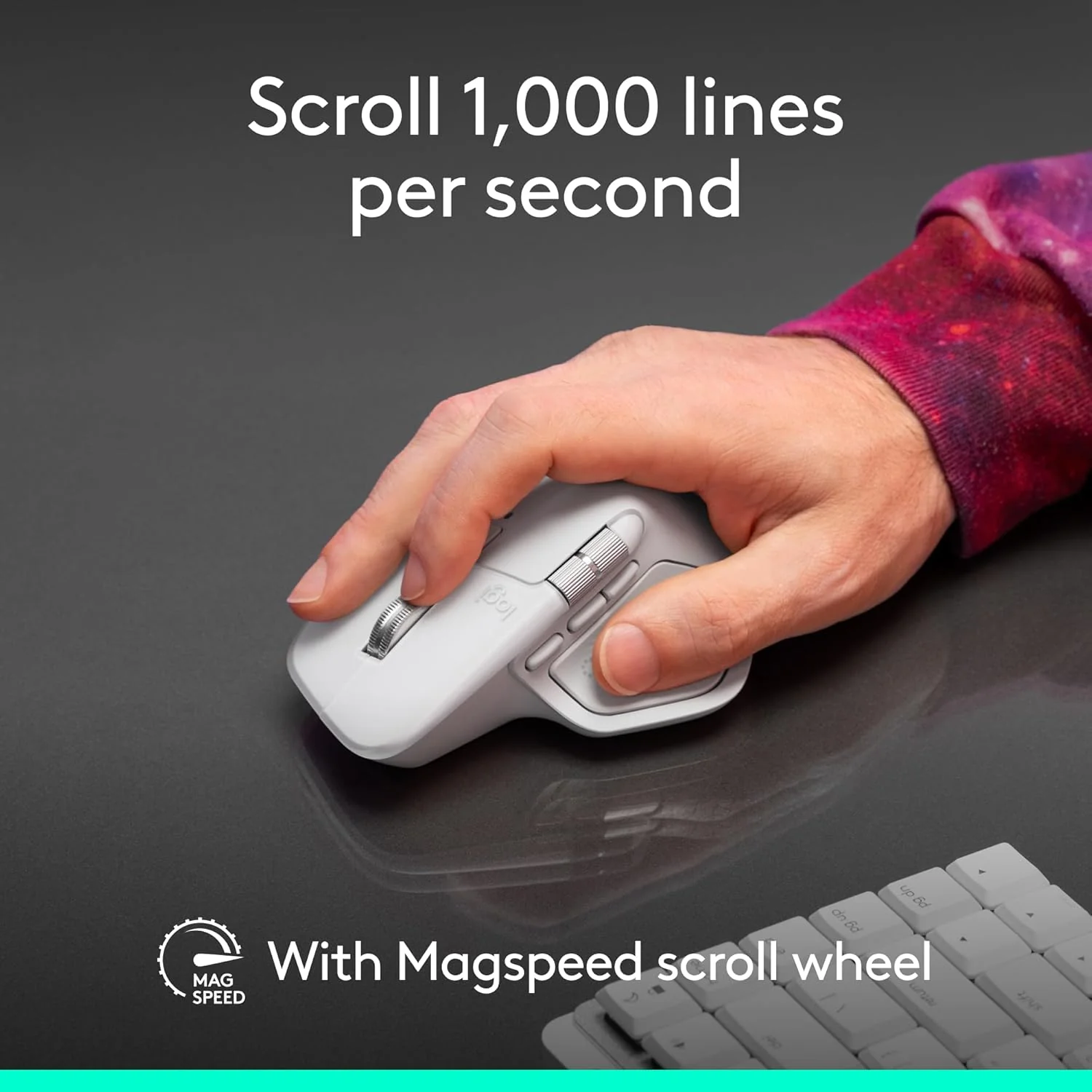
- Scroll 1,000 lines per second and stop on a pixel with the MagSpeed scroll wheel—Logitech’s fastest (3), quietest, and most precise (4) scrolling experience
- Ergonomic mouse designed for comfort, MX Master 4 for Mac keeps you in flow with a natural tilt, intuitive buttons, and a thumb scroll wheel that reduces hand stress for fluid navigation.


Designed for Mac
MX Master 4 for Mac optimized for macOS and iPadOS (9), offers programmable functions for macOS via Logi Options+ (1), and matching finishes for your Apple setup.

Immerse yourself with the Haptic Sense Panel
Experience tactile feedback, offering precision and customizable control for an immersive workflow.

Adjust how your workflow feels
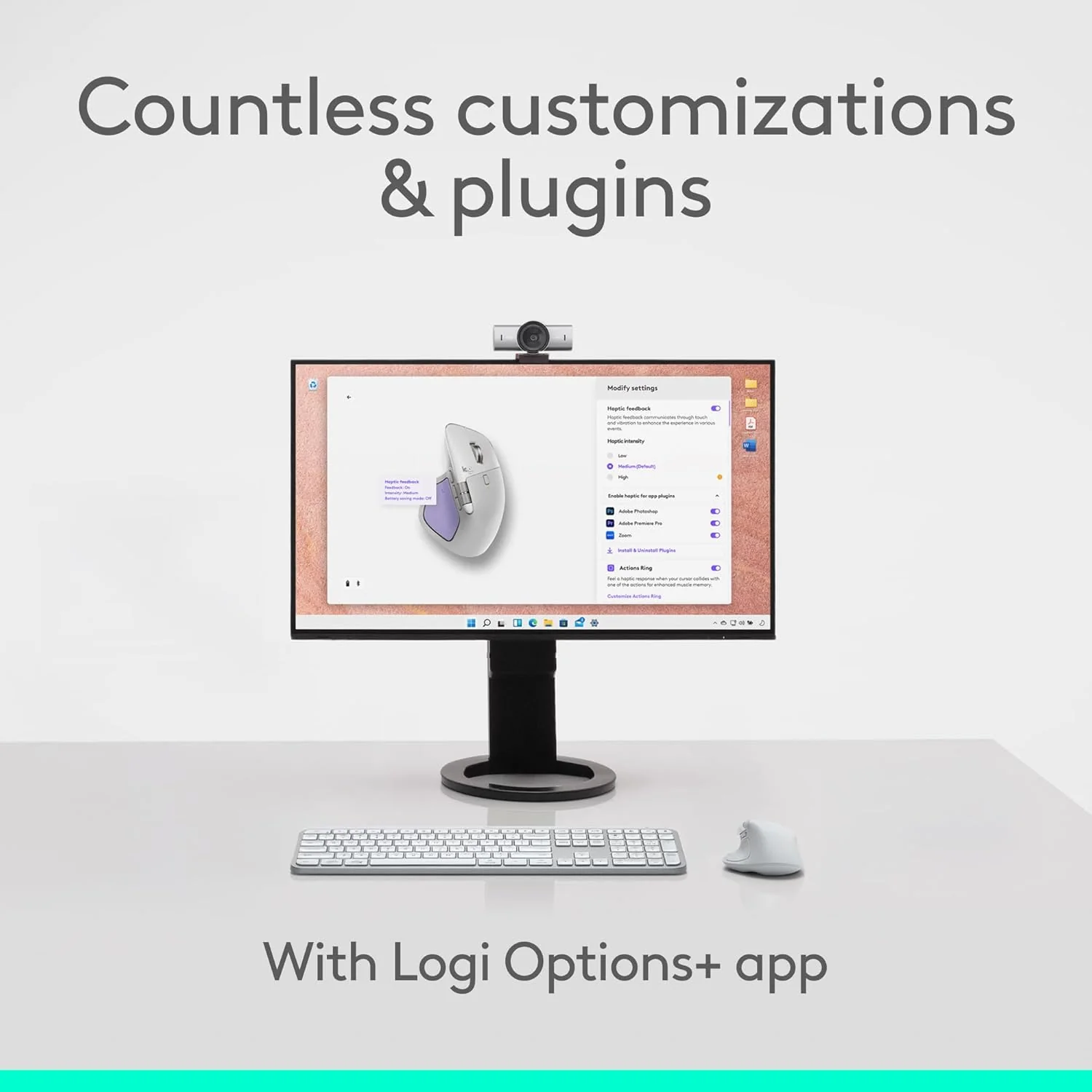
Personalize haptic feedback with Logi Options+ (1). Assign haptic feedback to the Actions Ring, desktop switching, Smart Actions and more. Use plugins for 3rd party apps and adjust feedback intensity to your preferences.

Save up to 33% of time with Actions Ring. (2)
Your favorite tools, shortcuts, and actions at the tip of your cursor through a dynamic overlay that adapts to the app you’re using.

Reduce mouse movements by up to 63% (2)
Streamline navigation by cutting time from searching menus for shortcuts, tools, and actions to stay immersed in your workflow.

Create shortcuts that work for you
Tailor your Actions Ring with downloadable plugins for third-party apps and personalized shortcuts, tools, and actions designed for your workflows (1).

Scroll 1,000 lines per second
With the MagSpeed scroll wheel, enjoy 87% more precision (3) and 90% more speed (4). Switch between ratchet and hyper-fast modes for smooth, hyper fast scrolling.

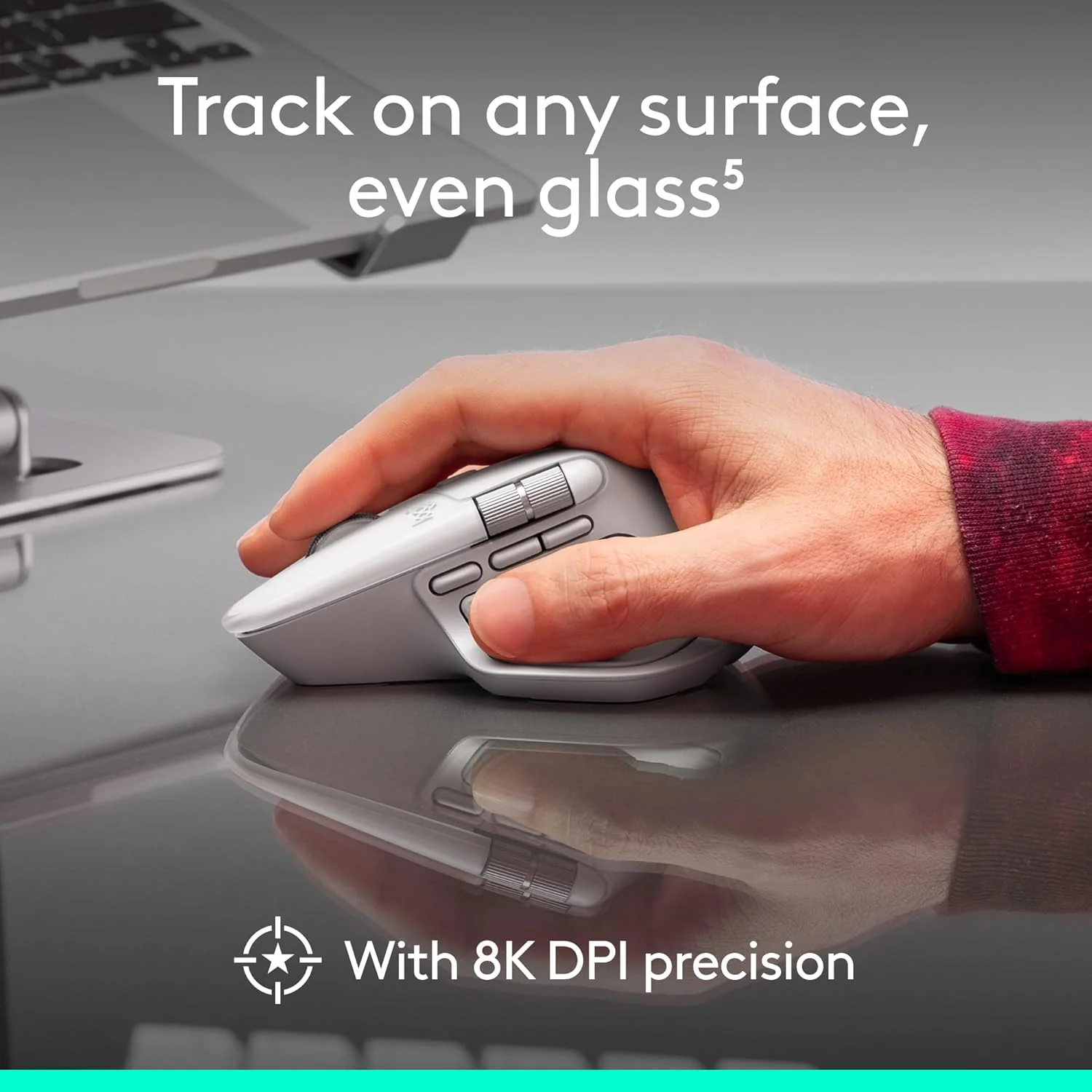
Track on any surface, even glass (5) with an 8K DPI sensor
Logitech’s most accurate sensor is 5x more precise than a basic mouse (6). High DPI tracking with customizable sensitivity (1) ensures precision on large screens.

Deeper flow with 90% less click noise (8)
Designed for those who create, code, or collaborate, Quiet Click buttons deliver a satisfying feel – but with 90% less click noise(8). You’ll get the same performance, precision, and reliability you’ve come to expect.

Track on any surface, even glass (5) with an 8K DPI sensor
Logitech’s most accurate sensor is 5x more precise than a basic mouse (6). High DPI tracking with customizable sensitivity (1) ensures precision on large screens.

Customize & optimize your workflow with Logi Options+ (1)
Tailor every detail — from tracking speed and shortcuts to app presets for editing, designing, or coding. Automate workflows with Smart Actions and expand functionality through powerful plugins.

More comfort deeper focus
MX Master 4’s optimized tilt angle supports natural arm posture, while intuitive button placement reduces strain — helping you stay comfortable and focused for longer hours.

USB-C quick charging, long lasting
Stays powered for up to 70 days on a full charge – and gets 3 hours of use from a 1-minute quick charge. Work while you recharge with an USB-C cable (not included).

Work seamlessly across Apple devices
Connect with up to three devices and switch between them via Actions Ring or Easy-switch buttons on the mouse and transfer your files across devices seamlessly with Logi Options+ (1).
Product Information
Product Information
Shipping & Returns
Shipping & Returns

Logitech MX Master 4 for Mac, Ergonomic Bluetooth Mouse with Advanced Performance Haptic Feedback, Ultra-Fast Scrolling, USB-C Charging, MacOS, iPadOS, Windows
Logitech MX Master 4 for Mac, Ergonomic Bluetooth Mouse with Advanced Performance Haptic Feedback, Ultra-Fast Scrolling, USB-C Charging, MacOS, iPadOS, Windows
Features-
- Mastered for Mac: With matching Apple finishes, Logi Options+ functions for macOS (1), USB-C charging while you work (cable not included), MX Master 4 for Mac makes for a perfect fit with your Apple setup
- Precision you can feel with the Haptic Sense Panel; customizable (1) haptic feedback on specific actions, shortcuts, notifications enhancing productivity on this wireless Bluetooth mouse
- Effortlessly access favorite tools with Actions Ring (2) on this MX Series mouse—a dynamic, customizable overlay adapts to each app, placing most used filters, adjustments, and shortcuts at your cursor
- Scroll 1,000 lines per second and stop on a pixel with the MagSpeed scroll wheel—Logitech’s fastest (3), quietest, and most precise (4) scrolling experience
- Ergonomic mouse designed for comfort, MX Master 4 for Mac keeps you in flow with a natural tilt, intuitive buttons, and a thumb scroll wheel that reduces hand stress for fluid navigation.
Designed for Mac
MX Master 4 for Mac optimized for macOS and iPadOS (9), offers programmable functions for macOS via Logi Options+ (1), and matching finishes for your Apple setup.
Immerse yourself with the Haptic Sense Panel
Experience tactile feedback, offering precision and customizable control for an immersive workflow.
Adjust how your workflow feels
Personalize haptic feedback with Logi Options+ (1). Assign haptic feedback to the Actions Ring, desktop switching, Smart Actions and more. Use plugins for 3rd party apps and adjust feedback intensity to your preferences.
Save up to 33% of time with Actions Ring. (2)
Your favorite tools, shortcuts, and actions at the tip of your cursor through a dynamic overlay that adapts to the app you’re using.
Reduce mouse movements by up to 63% (2)
Streamline navigation by cutting time from searching menus for shortcuts, tools, and actions to stay immersed in your workflow.
Create shortcuts that work for you
Tailor your Actions Ring with downloadable plugins for third-party apps and personalized shortcuts, tools, and actions designed for your workflows (1).
Scroll 1,000 lines per second
With the MagSpeed scroll wheel, enjoy 87% more precision (3) and 90% more speed (4). Switch between ratchet and hyper-fast modes for smooth, hyper fast scrolling.
Track on any surface, even glass (5) with an 8K DPI sensor
Logitech’s most accurate sensor is 5x more precise than a basic mouse (6). High DPI tracking with customizable sensitivity (1) ensures precision on large screens.
Deeper flow with 90% less click noise (8)
Designed for those who create, code, or collaborate, Quiet Click buttons deliver a satisfying feel – but with 90% less click noise(8). You’ll get the same performance, precision, and reliability you’ve come to expect.
Track on any surface, even glass (5) with an 8K DPI sensor
Logitech’s most accurate sensor is 5x more precise than a basic mouse (6). High DPI tracking with customizable sensitivity (1) ensures precision on large screens.
Customize & optimize your workflow with Logi Options+ (1)
Tailor every detail — from tracking speed and shortcuts to app presets for editing, designing, or coding. Automate workflows with Smart Actions and expand functionality through powerful plugins.
More comfort deeper focus
MX Master 4’s optimized tilt angle supports natural arm posture, while intuitive button placement reduces strain — helping you stay comfortable and focused for longer hours.
USB-C quick charging, long lasting
Stays powered for up to 70 days on a full charge – and gets 3 hours of use from a 1-minute quick charge. Work while you recharge with an USB-C cable (not included).
Work seamlessly across Apple devices
Connect with up to three devices and switch between them via Actions Ring or Easy-switch buttons on the mouse and transfer your files across devices seamlessly with Logi Options+ (1).
Original: $93.69
-70%$93.69
$28.11Product Information
Product Information
Shipping & Returns
Shipping & Returns
Description
Features-
- Mastered for Mac: With matching Apple finishes, Logi Options+ functions for macOS (1), USB-C charging while you work (cable not included), MX Master 4 for Mac makes for a perfect fit with your Apple setup
- Precision you can feel with the Haptic Sense Panel; customizable (1) haptic feedback on specific actions, shortcuts, notifications enhancing productivity on this wireless Bluetooth mouse
- Effortlessly access favorite tools with Actions Ring (2) on this MX Series mouse—a dynamic, customizable overlay adapts to each app, placing most used filters, adjustments, and shortcuts at your cursor
- Scroll 1,000 lines per second and stop on a pixel with the MagSpeed scroll wheel—Logitech’s fastest (3), quietest, and most precise (4) scrolling experience
- Ergonomic mouse designed for comfort, MX Master 4 for Mac keeps you in flow with a natural tilt, intuitive buttons, and a thumb scroll wheel that reduces hand stress for fluid navigation.
Designed for Mac
MX Master 4 for Mac optimized for macOS and iPadOS (9), offers programmable functions for macOS via Logi Options+ (1), and matching finishes for your Apple setup.
Immerse yourself with the Haptic Sense Panel
Experience tactile feedback, offering precision and customizable control for an immersive workflow.
Adjust how your workflow feels
Personalize haptic feedback with Logi Options+ (1). Assign haptic feedback to the Actions Ring, desktop switching, Smart Actions and more. Use plugins for 3rd party apps and adjust feedback intensity to your preferences.
Save up to 33% of time with Actions Ring. (2)
Your favorite tools, shortcuts, and actions at the tip of your cursor through a dynamic overlay that adapts to the app you’re using.
Reduce mouse movements by up to 63% (2)
Streamline navigation by cutting time from searching menus for shortcuts, tools, and actions to stay immersed in your workflow.
Create shortcuts that work for you
Tailor your Actions Ring with downloadable plugins for third-party apps and personalized shortcuts, tools, and actions designed for your workflows (1).
Scroll 1,000 lines per second
With the MagSpeed scroll wheel, enjoy 87% more precision (3) and 90% more speed (4). Switch between ratchet and hyper-fast modes for smooth, hyper fast scrolling.
Track on any surface, even glass (5) with an 8K DPI sensor
Logitech’s most accurate sensor is 5x more precise than a basic mouse (6). High DPI tracking with customizable sensitivity (1) ensures precision on large screens.
Deeper flow with 90% less click noise (8)
Designed for those who create, code, or collaborate, Quiet Click buttons deliver a satisfying feel – but with 90% less click noise(8). You’ll get the same performance, precision, and reliability you’ve come to expect.
Track on any surface, even glass (5) with an 8K DPI sensor
Logitech’s most accurate sensor is 5x more precise than a basic mouse (6). High DPI tracking with customizable sensitivity (1) ensures precision on large screens.
Customize & optimize your workflow with Logi Options+ (1)
Tailor every detail — from tracking speed and shortcuts to app presets for editing, designing, or coding. Automate workflows with Smart Actions and expand functionality through powerful plugins.
More comfort deeper focus
MX Master 4’s optimized tilt angle supports natural arm posture, while intuitive button placement reduces strain — helping you stay comfortable and focused for longer hours.
USB-C quick charging, long lasting
Stays powered for up to 70 days on a full charge – and gets 3 hours of use from a 1-minute quick charge. Work while you recharge with an USB-C cable (not included).
Work seamlessly across Apple devices
Connect with up to three devices and switch between them via Actions Ring or Easy-switch buttons on the mouse and transfer your files across devices seamlessly with Logi Options+ (1).